
Guide
How to book ice for schools and kindergartens
Skating is free for schools and kindergartens at selected morning times. Booking takes just a few steps.
How it works
5 steps to a booking
You no longer need a password: just enter the name of your school in the form. The booking makes sure that no two classes meet on the ice at once, and guarantees free entry for children and teachers.
Choose a rink
On the Schools & kindergartens page, open the booking window, choose Kluziště Praha and then the rink you want to visit.
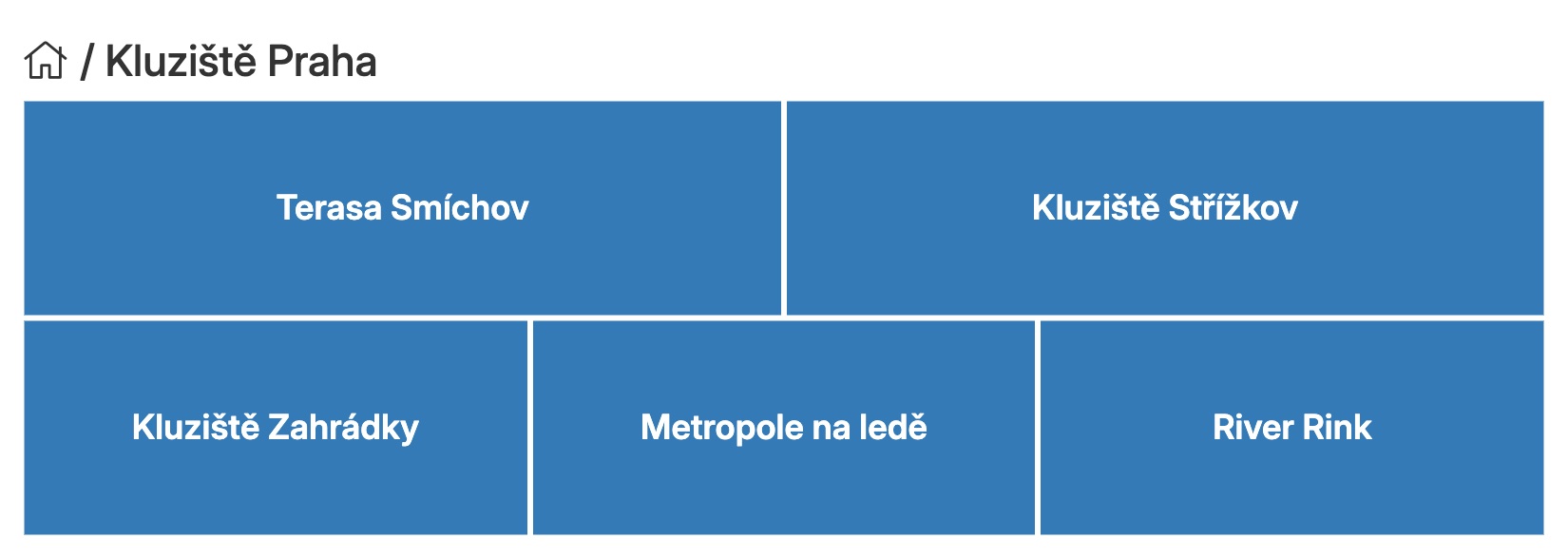
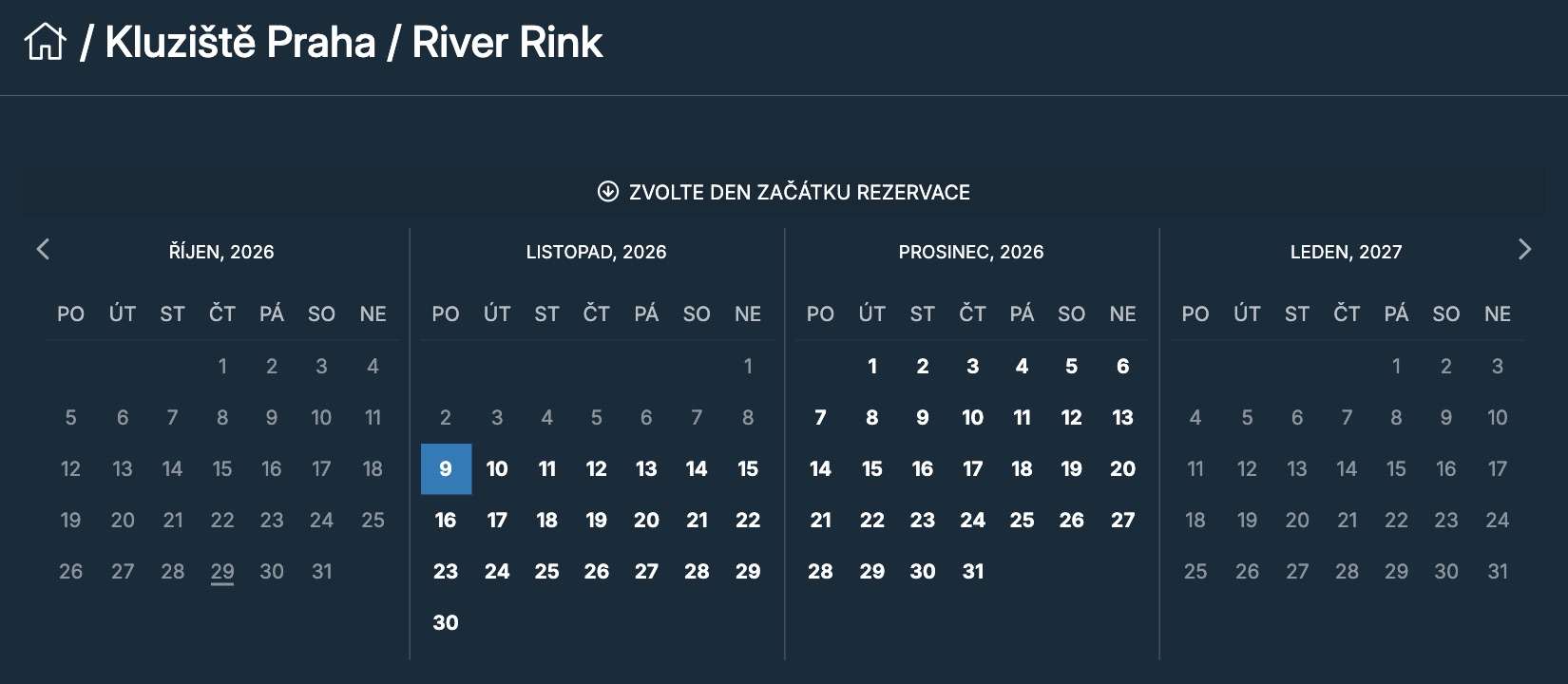
Choose a month and a date
You can book month by month for the whole season — choose a free morning that suits you.
Choose the “Schools & kindergartens” category
Below the calendar you will find the row „Školy a Školky“ (Schools and kindergartens). Green boxes are free times, the number shows the capacity. Click the time that suits you.

Fill in the form
Enter your name, e-mail, phone and the number of pupils (usually 20–50 children depending on the rink, more classes can book at once). Finally enter the name of your school and click Rezervovat (Book).
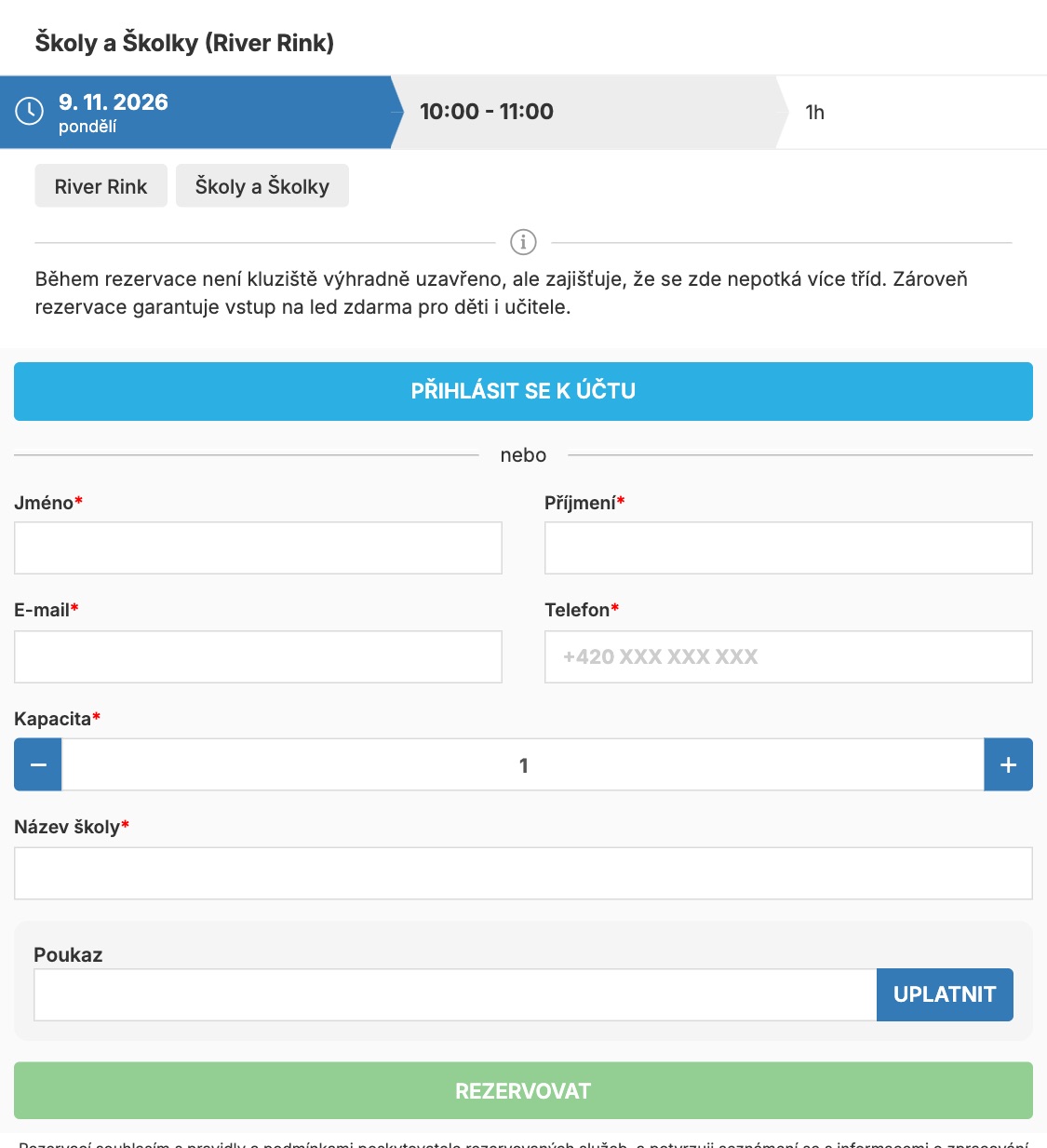
Wait for confirmation
You'll receive a booking confirmation by e-mail. Then just come to the rink at the chosen time.
ℹ️ The booking does not mean the rink is closed to others. It makes sure that no two classes meet on the ice at once.
Book the ice for your class
Choose a date in the booking window, all you need is the name of your school.